

Design smarter, upscale cleaner,
cut faster, and find winning products
all powered by AI.
All-in-one studios and precision utilities to take you from raw idea to print-ready product in a single workflow. Mockup, reverse, batch, production tools, plus Upscale and CutContour utilities in one platform.
How It Works?
Upload a reference, choose your studio and model, generate with AI, and refine outputs for production-ready delivery.
1. Upload
Add your reference or design file.
2. Configure
Choose studio, mode, and model settings.
3. Generate
Create mockups, murals, patterns, or variations with AI.
4. Launch for Sale
Turn products created with these designs into ready-to-sell listings.
Generated Images
Preview examples from the live gallery by category, then jump to the full gallery for more.
Gallery is loading
Explore the sections below or try again in a moment.
Why PodKolay
AI studios and support tools in one panel so you can test, refine, and regenerate fast.
Design-matched mockups
Create listing-ready mockups that stay aligned with your generated design.
High-quality outputs
Use 2K/4K and model-based options for cleaner, premium looking results.
Fast and consistent generation
Build professional visual packs and variations in minutes.
Ready-to-sell publishing
Turn generated designs into listing-ready product visuals and launch faster.
AI Studios & Tools
All studios and utility tools in one flow. Open any card to jump directly into the workflow.
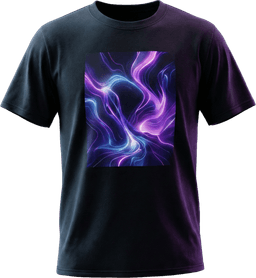
Apparel Studio
Create print-ready apparel designs in minutes.
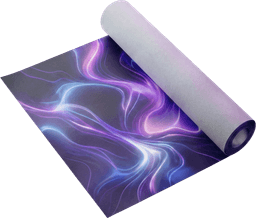
Wallpaper Studio
Build premium wallpaper patterns fast.
Wall Decor Studio
Design framed art that sells.
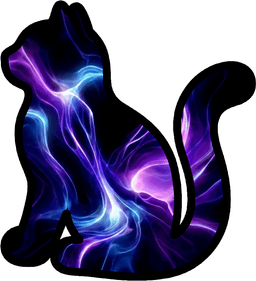
CutContour
Generate precise cut files instantly.
Upscale Studio
Upscale images with clean detail.

Pin Hunter
Discover winning Pinterest-ready styles.

Etsy Hunter
Find products that sell on Etsy.
AI Workflow Outputs
Combine generation, refinement, and research layers to move through iterations faster.
AI Studio Workflow
- Generate fast mockups and variations for wallpaper, apparel, and wall decor.
- Use reverse workflows to extract prompts/design ideas from references.
- Test the same design across multiple scenes with batch mode.
Support Tools
- Use Upscale for cleaner large-format outputs.
- Prepare cut-line and PDF outputs with CutContour.
- Research trends and inspiration with Pin Hunter and Etsy Hunter.
FAQ
A full categorized FAQ is available on a dedicated page. Here is a quick preview of the most common questions.
Plans & CreditsHow does the credit system work?
Paid actions consume credits. Cost varies by model, resolution, and tool.
Wallpaper StudioCan I set dimensions in Pattern mode?
Yes. Pattern Width and Wall Width control tiling scale before wall application.
Wallpaper BatchDo all batch mockups use the same model?
Yes. The selected model is used across all batch mockups.
ModelsHow does MJ work in wallpaper mockups?
MJ creates the room first, then NB-P applies the mural/pattern for the final result.